Before you can get started, we'll need to know your Shopify Store ID. That allows us to get you a custom-built Shopify app that works with your shop directly. Here's what to do:
- Log into your Shopify admin panel.
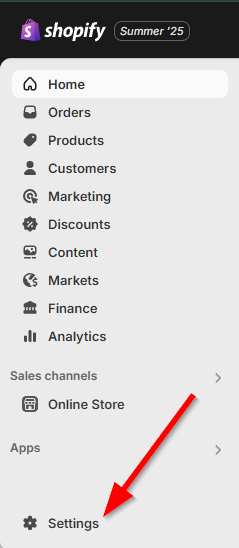
- In the lower-left corner, click Settings.
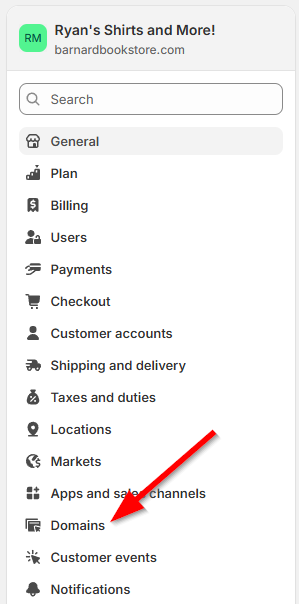
- From the Settings menu, select Domains.
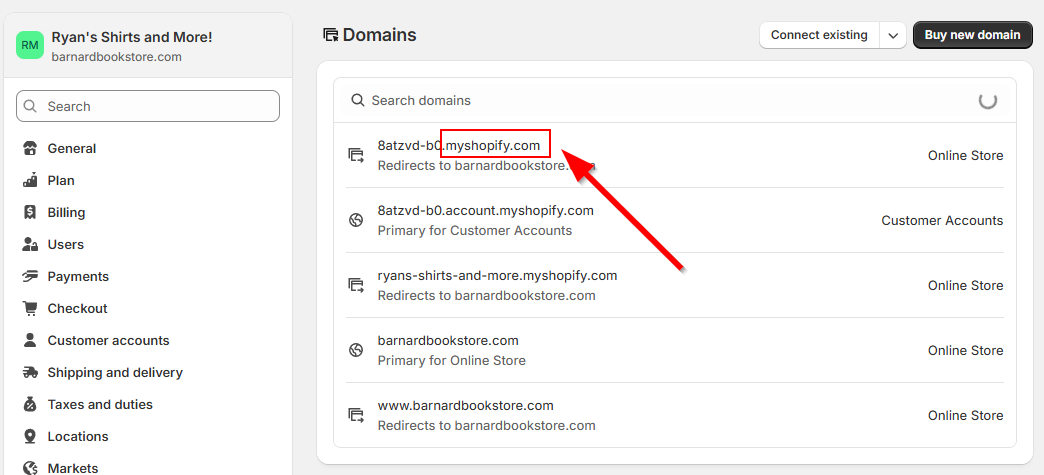
- Find the domain that ends with myshopify.com and click it.
- Highlight the full domain name and copy it to your clipboard.
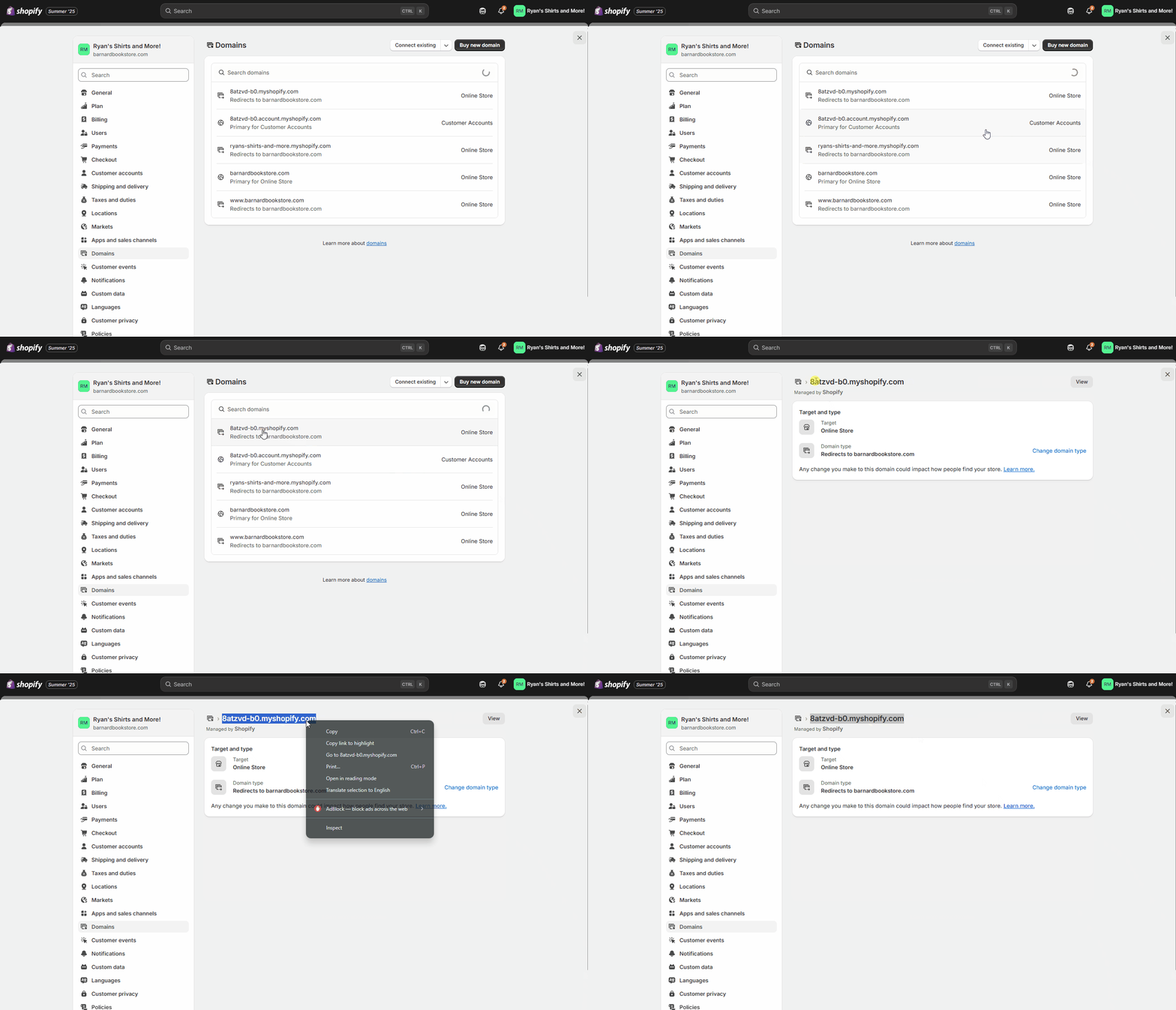
Once you have the Shopify URL, please provide it to your SellSavvy onboarding specialist.
Was this article helpful?
That’s Great!
Thank you for your feedback
Sorry! We couldn't be helpful
Thank you for your feedback
Feedback sent
We appreciate your effort and will try to fix the article
