We're here to help!
In order to make your setup process as smooth as possible we can connect and import profiles and other data from Klaviyo.
This will let you re-engage with profiles you may have been avoiding because of profile limits and also to ensure that for all customers we have up to date consent and opt-in status information.
1. Log in to Klaviyo
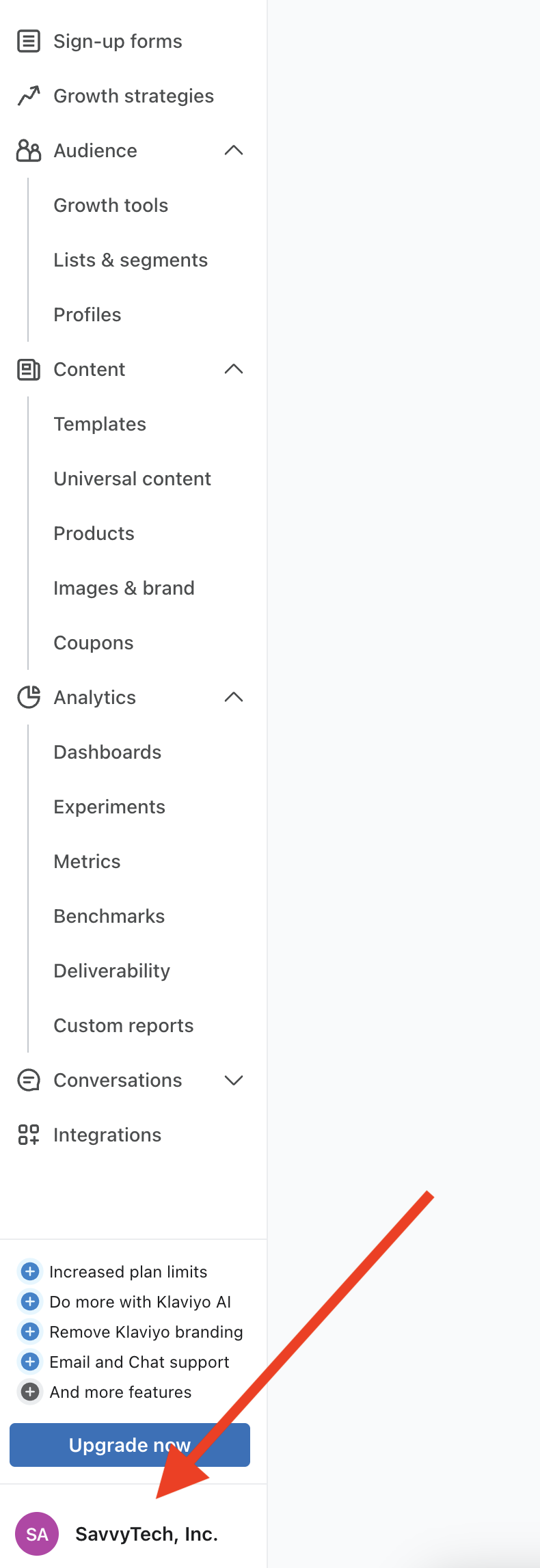
2. Click on your account name in the lower left hand corner:
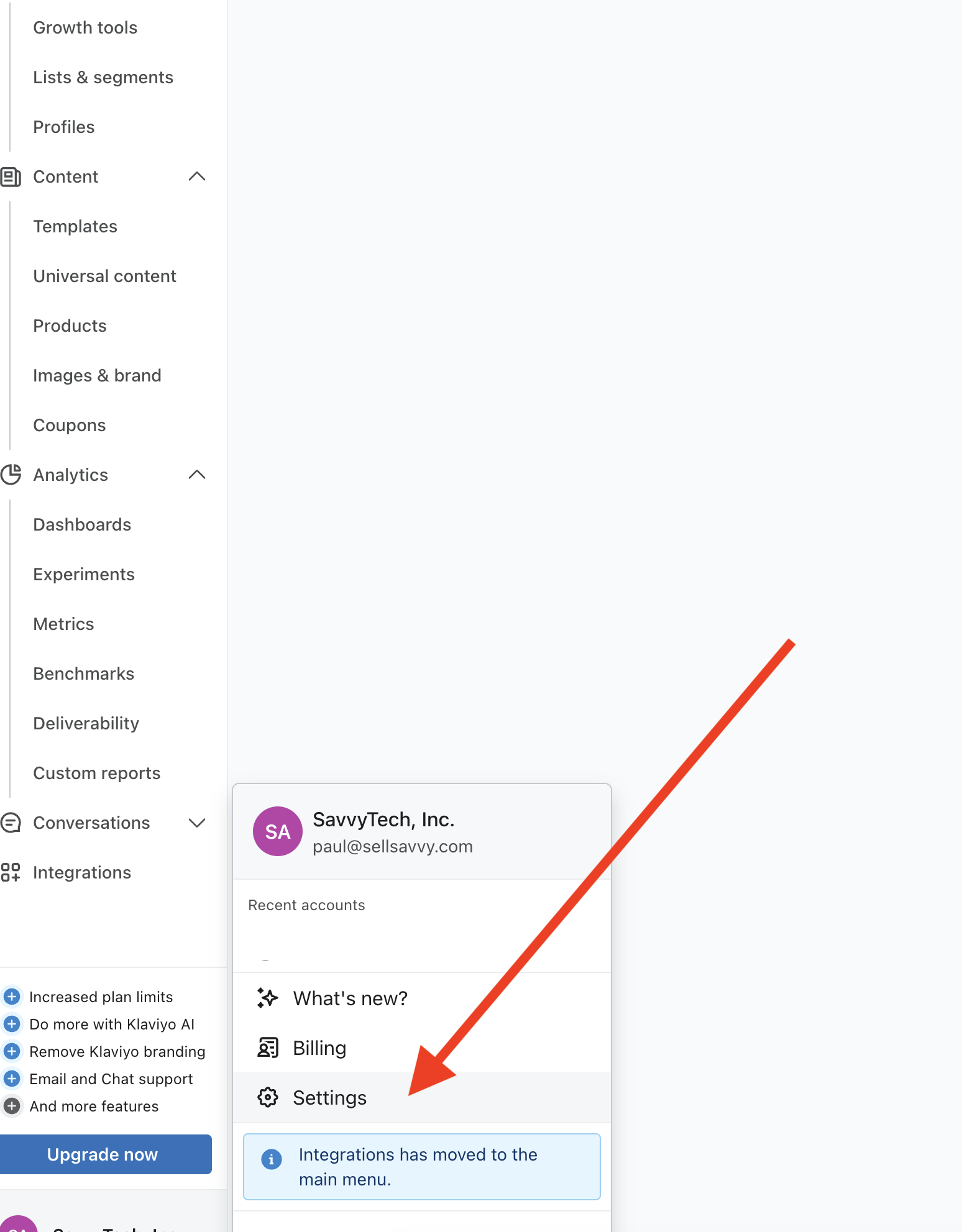
3. Click on "Settings" in the menu:
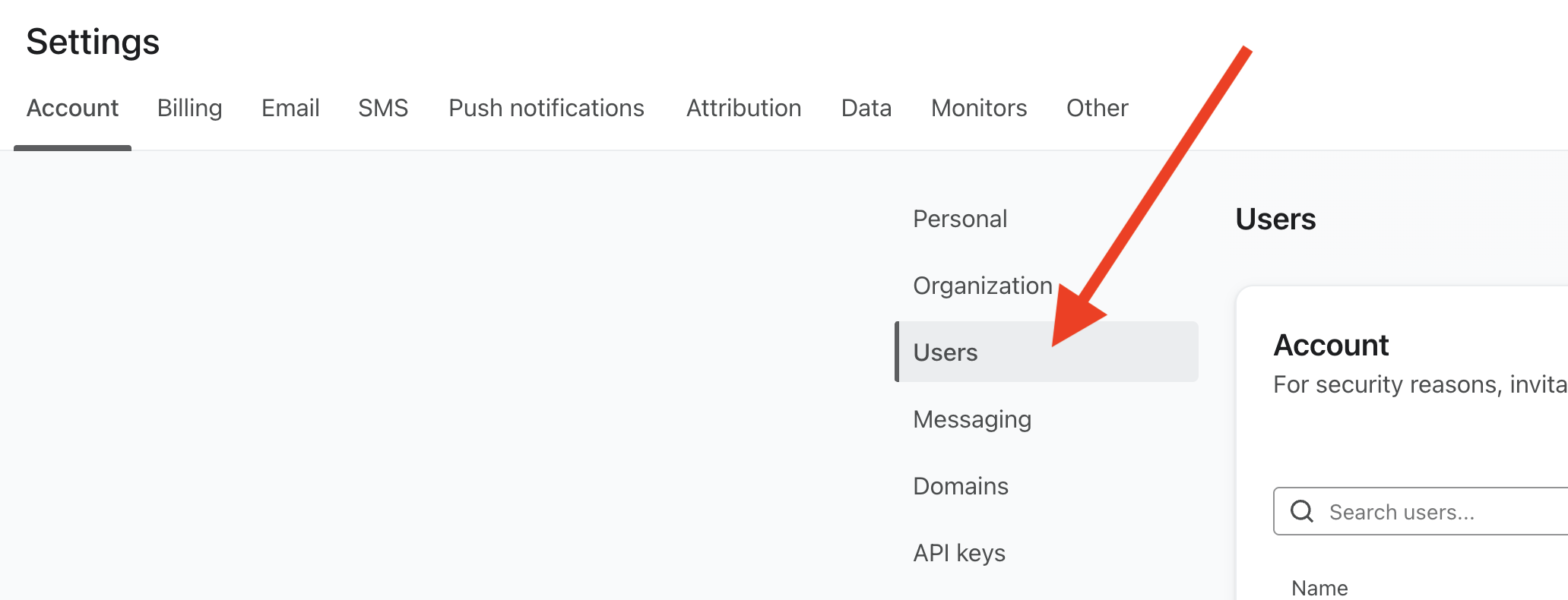
4. Click on "Users"
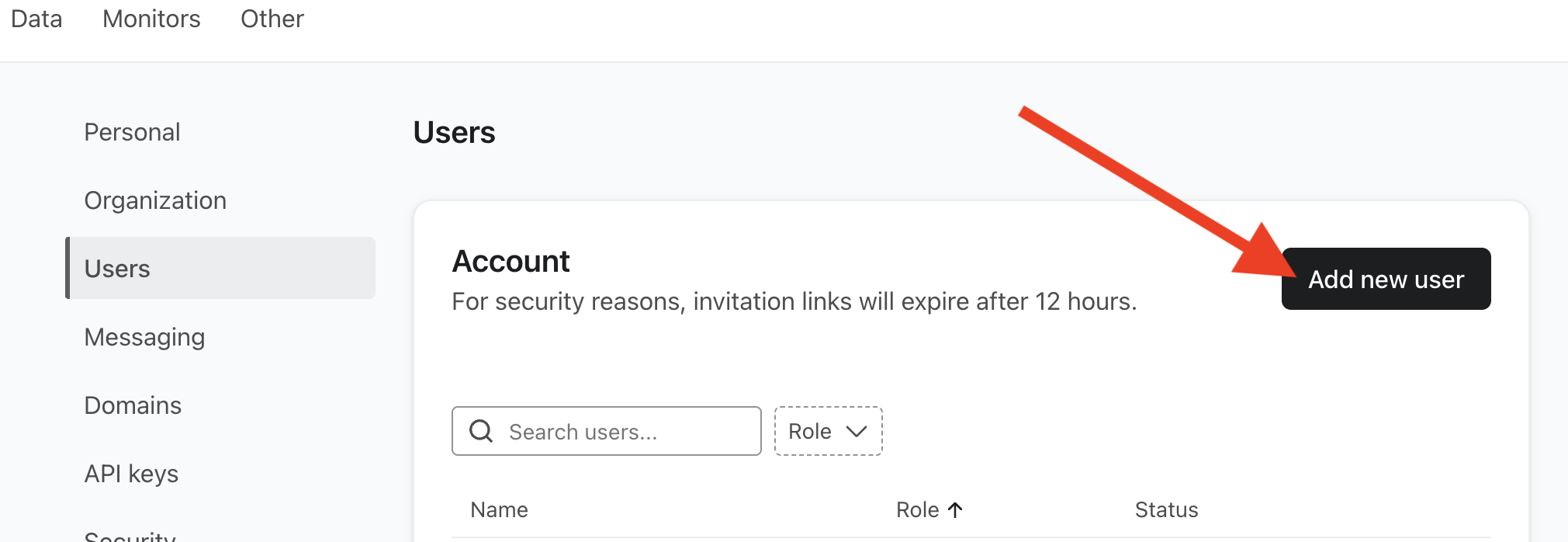
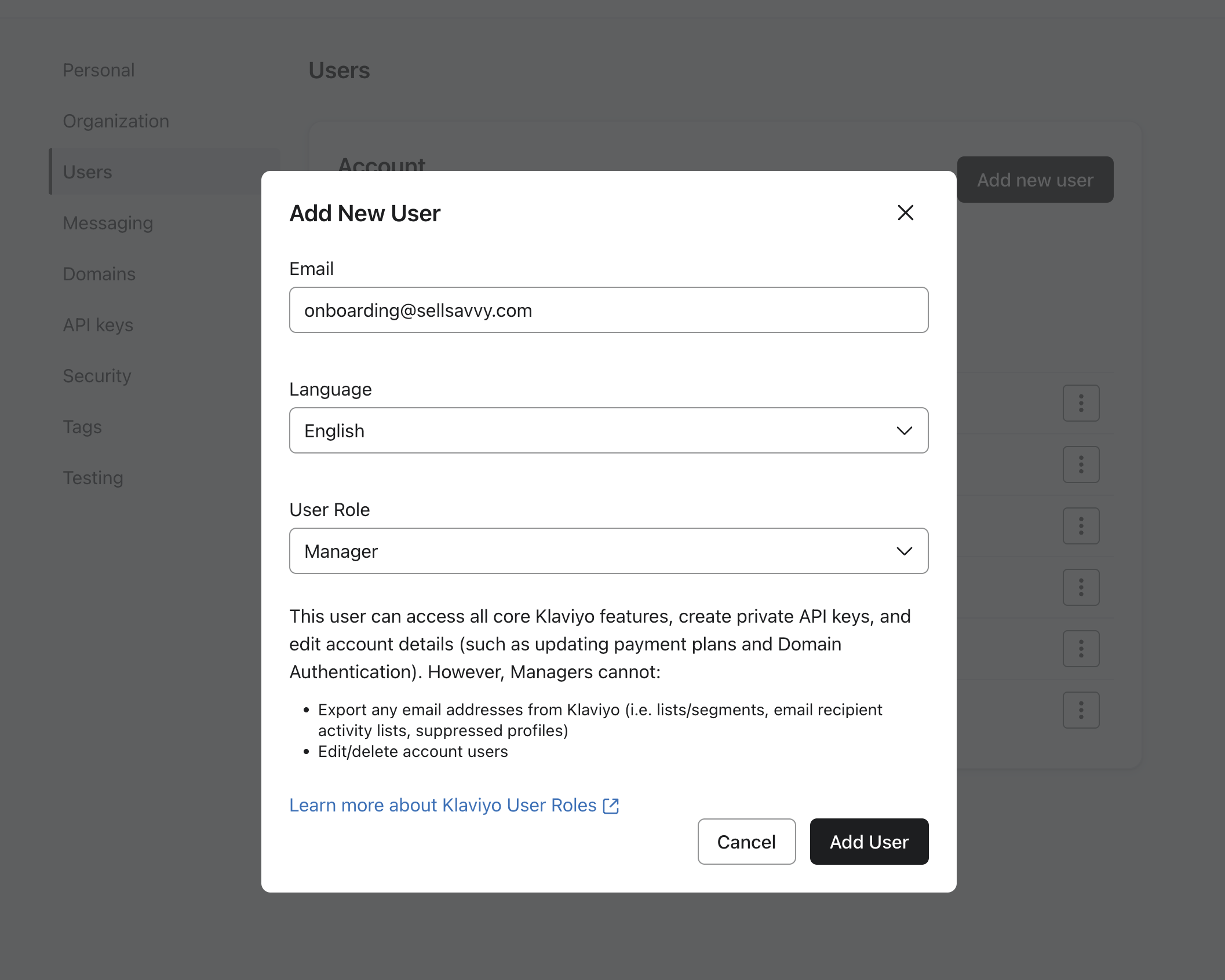
5. Click on "Add new user":
6. In the add new user dialog invite onboarding@sellsavvy.com with the role Manager
You're all done! Just let your onboarding specialist know that this has been completed, and they'll be able to assist you with the rest of the Klaviyo import process.
Was this article helpful?
That’s Great!
Thank you for your feedback
Sorry! We couldn't be helpful
Thank you for your feedback
Feedback sent
We appreciate your effort and will try to fix the article